


 JOIN OUR WHATSAPP CHANNEL























































How to download WhatsApp stickers using iPhone
If you are an iPhone user and struggling to use stickers on WhatsApp then in this article we will teach you how you can download WhatsApp stickers on iPhone.




WhatsApp is the default instant messaging app for most of us. Currently, WhatsApp has billions of monthly active users all over the world. Users can share text, chat, voice messages, videos, stickers, GIFs, and emojis with individuals or groups on Whatsapp. WhatsApp constantly brings new features to help users elevate their experience. WhatsApp recently launched its new animated stickers for all users. If you are an iPhone user and struggling to use stickers on WhatsApp then in this article we will teach you how you can download WhatsApp stickers on iPhone.
Here is our step-by-step guide on how to download WhatsApp stickers using iPhone.
Download WhatsApp stickers with iPhone


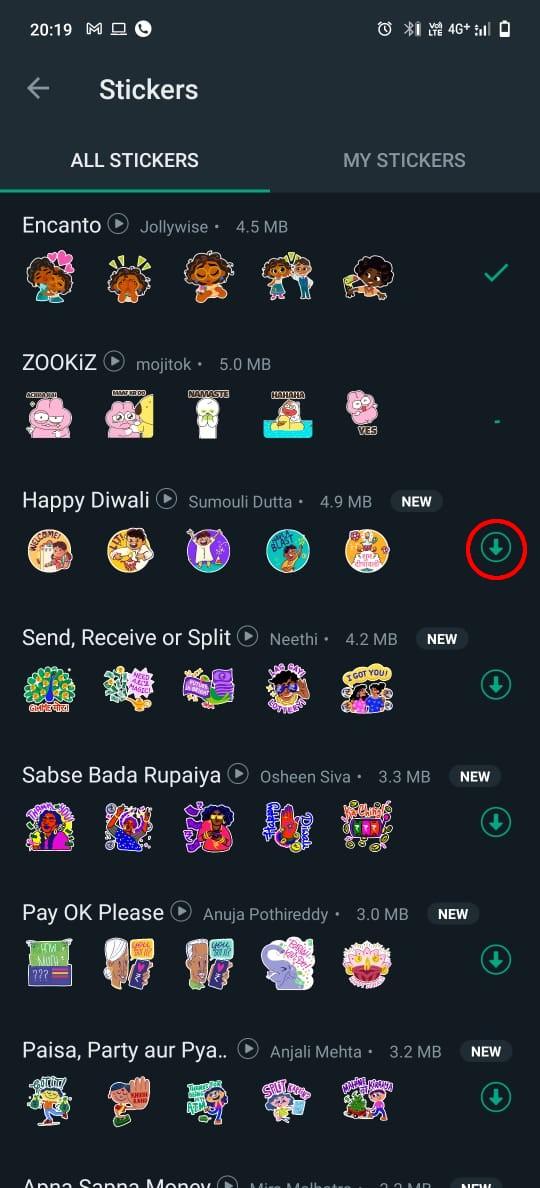
Now that you have successfully downloaded the sticker pack on WhatsApp on your iPhone, now you can send a sticker to anyone by just tapping on the sticker icon where you will see all the new sticker packs beside your recently used stickers icon. You can find the sticker you like and then tap on the sticker that you want to send, and it will successfully send the sticker to the person in your chat window.
Users can also see all the stickers that were used recently. If you want to check out all the recently used stickers on your iPhone then you will have to click on the recent icon which looks like a clock. Along with downloading already created WhatsApp sticker packs, users can also create their own customized stickers just by downloading a third-party app from the Apple app store.









